Why GTA 6 streams are perfect for short clips
Open-world chaos makes great shorts: a heist that goes wrong, a five-star chase, a crash nobody saw coming. The problem is finding those 30 seconds in a four-hour stream. Scrubbing through a VOD after every session takes longer than the stream itself.
Kliptide does the finding for you. It keeps the last few minutes of your stream in a buffer and, when something big happens, cuts the 30 seconds before it plus your reaction into a ready-to-post vertical clip.
How Kliptide spots a GTA 6 moment
- Chat explodes: a sudden burst of messages, "KEKW", "no way", "CLIP IT" (Twitch).
- You react: shouting, laughing or a loud crash spikes the audio.
- The screen goes wild: explosions, flashes and hard cuts.
Each signal is compared with your own stream's normal level, so a quiet 50-viewer stream and a busy 5,000-viewer one are both judged fairly. Saw something great yourself? Hit Clip now to grab the last 30 seconds instantly.
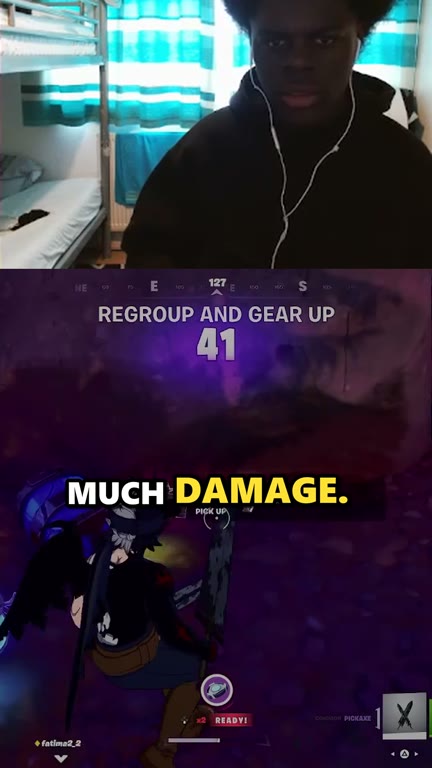
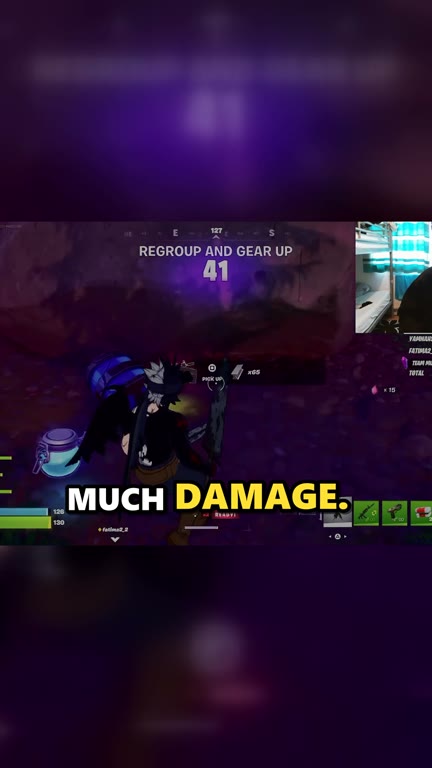
Real clips made by Kliptide (shown here from a Fortnite stream; GTA 6 works the same way).
Best settings for GTA 6 clips
Layout
Use Facecam on top if you stream with a camera: viewers want to see your reaction to the chaos. No camera? Zoomed gameplay keeps the action big on a phone screen.
Captions
Word-by-word captions are burned in automatically, with the spoken word popping in yellow, green or on a box. Most people watch Shorts and Reels with the sound off, so captions keep them watching. Kliptide highlights any words it wasn't sure about so you can fix them before posting.
Hashtags
Kliptide reads your stream's category, so GTA 6 clips get GTA 6 tags automatically, plus tags for the mood of the moment:
Watch out for the radio. GTA's in-game radio plays licensed songs, and YouTube's Content ID can claim or mute clips where a song is clearly audible. Turn the car radio down or off while you stream. Kliptide also flags clips where it hears music, so you know which ones to check.
Clipping someone else's GTA 6 stream?
Only clip streams you have the right to use: your own, or a streamer who's given you permission (many big GTA streamers run official clipping programmes). Kliptide lets you record each streamer's permission, puts a credit line on every clip, and won't let you approve clips from channels without permission unless you switch that off.
GTA 6 clipping FAQ
Does Kliptide work with GTA 6 on PS5 and Xbox?
Yes. Kliptide watches your Twitch or Kick stream, not the game itself, so it works whatever you play GTA 6 on, as long as you stream it. Kliptide itself runs on a Windows PC.
Do I need to be at my PC while it clips?
No. Leave Kliptide running while you stream; clips wait for you in the review screen. Nothing is ever posted without you.
Will GTA 6 clips get copyright claims?
Gameplay is usually fine, but the in-game radio's licensed songs can be claimed. Keep the radio down and check clips Kliptide flags for music.
Is Kliptide free?
Yes. The free version has every feature and adds a small "Made with Kliptide" watermark. Kliptide Pro removes it for a one-time payment, no subscription.
Turn tonight's GTA 6 stream into a week of Shorts
Free for Windows. Your first clip could be ready before the stream ends.